From Patch to Live
Four steps: patch your fixtures, build scenes and cue stacks, add music and multi-page notes, run the show from Live Control or your custom mixer layout—then put the whole night on the Show Timeline.
Fixture Library & Patch
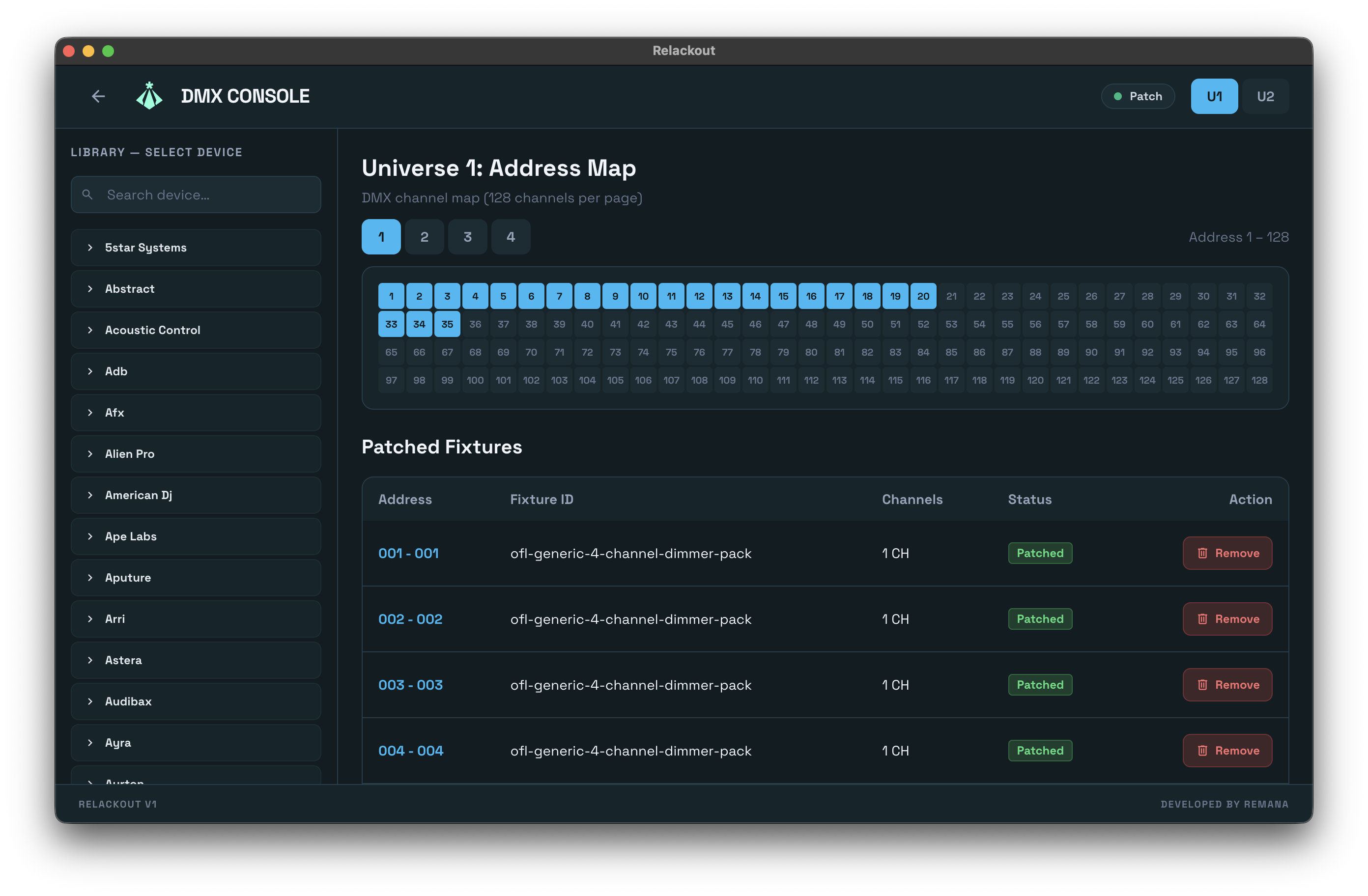
Add fixtures from the library to your universes. Relackout supports 1–4 universes (512 channels each). Assign DMX start addresses; output via Art-Net or USB DMX. Import OFL fixture files or create custom profiles.
- check_circle Fixture library with categories and OFL import
- check_circle Universe and address map (Patch screen)
- check_circle Tuya smart devices: add from library and patch to DMX
Scenes, Effects, Cues & Sync
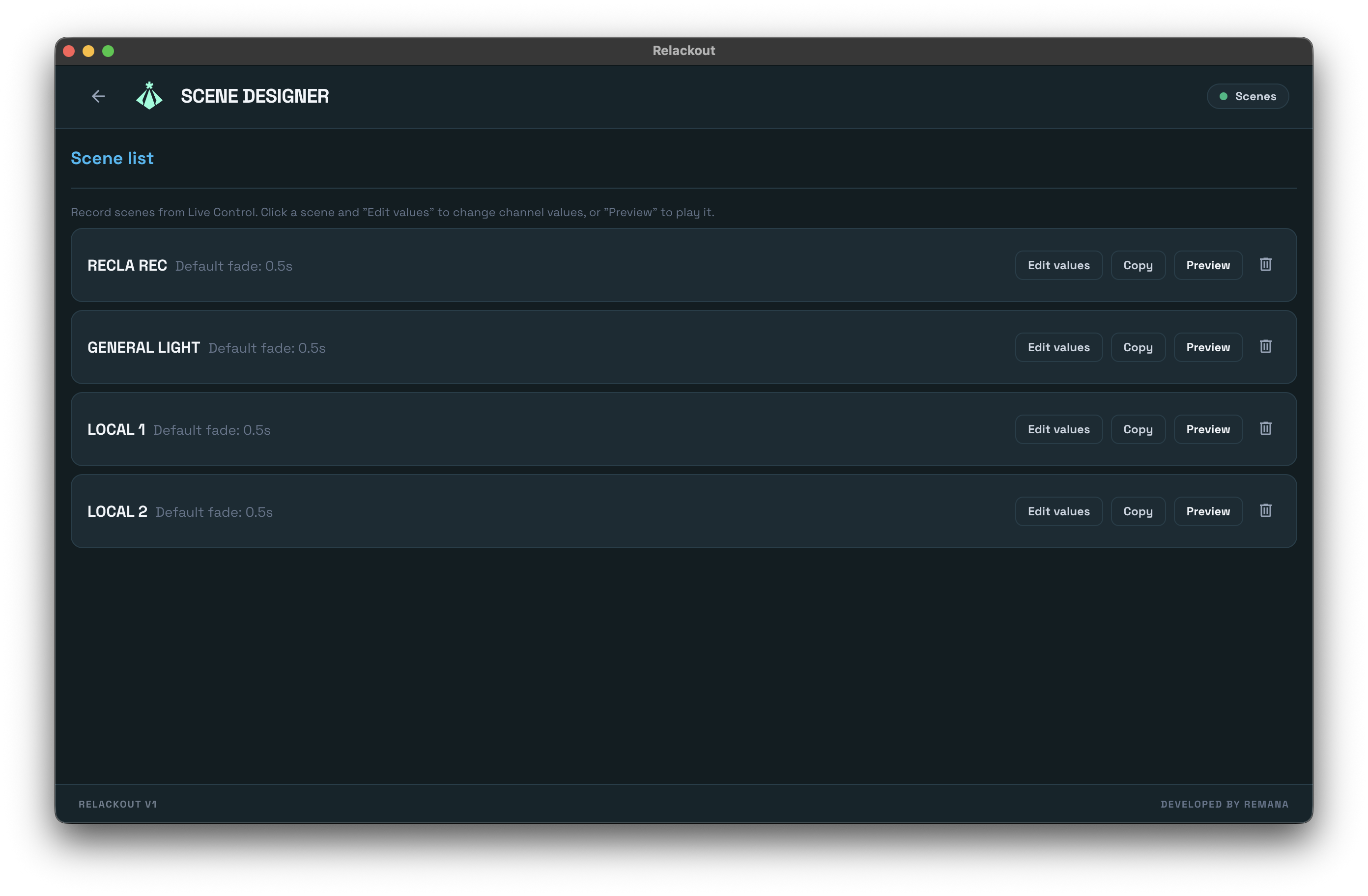
Record scene snapshots from Live Control; edit channel values and fade in/out in the Scene Designer. Build moving-light looks in the Effect Wizard—multi-layer movement, intensity, and color with symmetry, phase, and convergence. Assemble step loops and cue lists, then lock everything to the beat with Tempo & BPM (tap, MIDI Clock, live BPM), and drive it all from MIDI or OSC. Add MP3/WAV tracks and playlists, control master volume, and bind multi-page Show Notes to widgets for on-stage reading. It's quick to learn and built to run fast.
Scene Designer
Snapshot + channel edit
Effect Wizard
Multi-layer effects
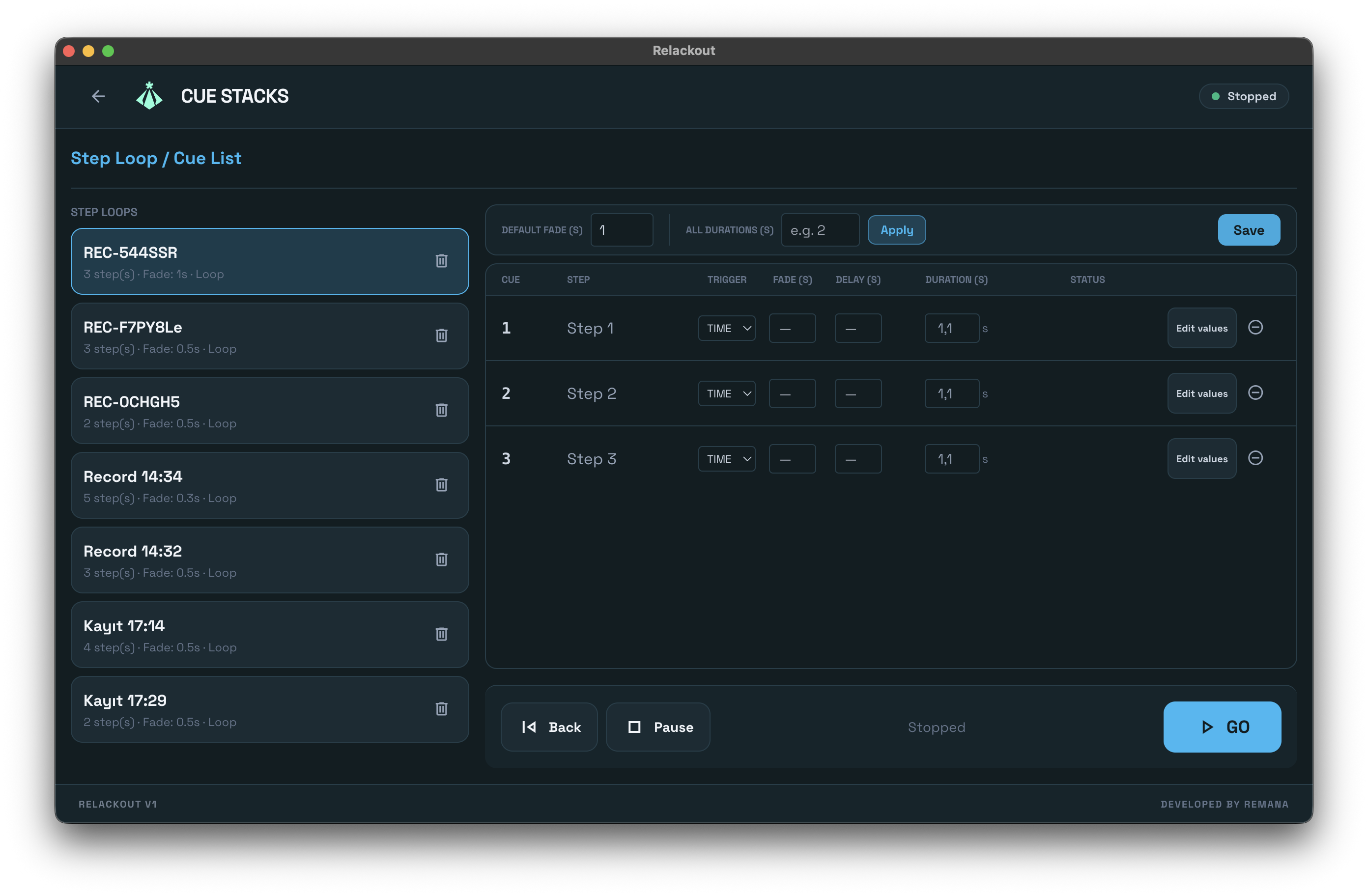
Cue Stacks
Step loops, tempo-locked
Music & Notes
Tracks, playlists, show notes
Show Notes
Multi-page docs · Page forward/back in Live
- check_circle Scenes, multi-layer effects, and cue stacks
- check_circle Tempo & BPM, MIDI, and OSC sync — beat-locked effects
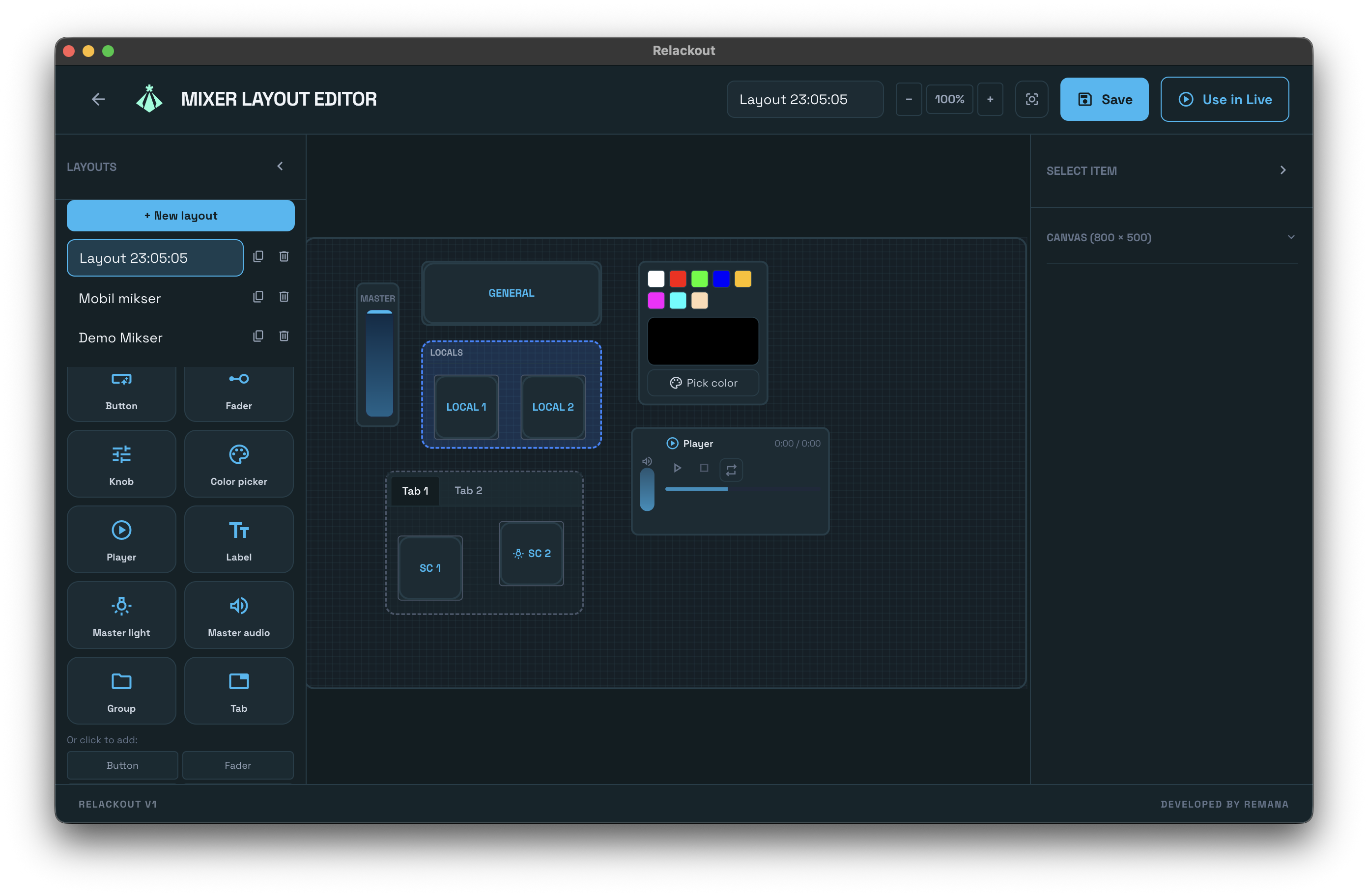
- check_circle Music, show notes, and Mixer Designer widgets
Live Execution
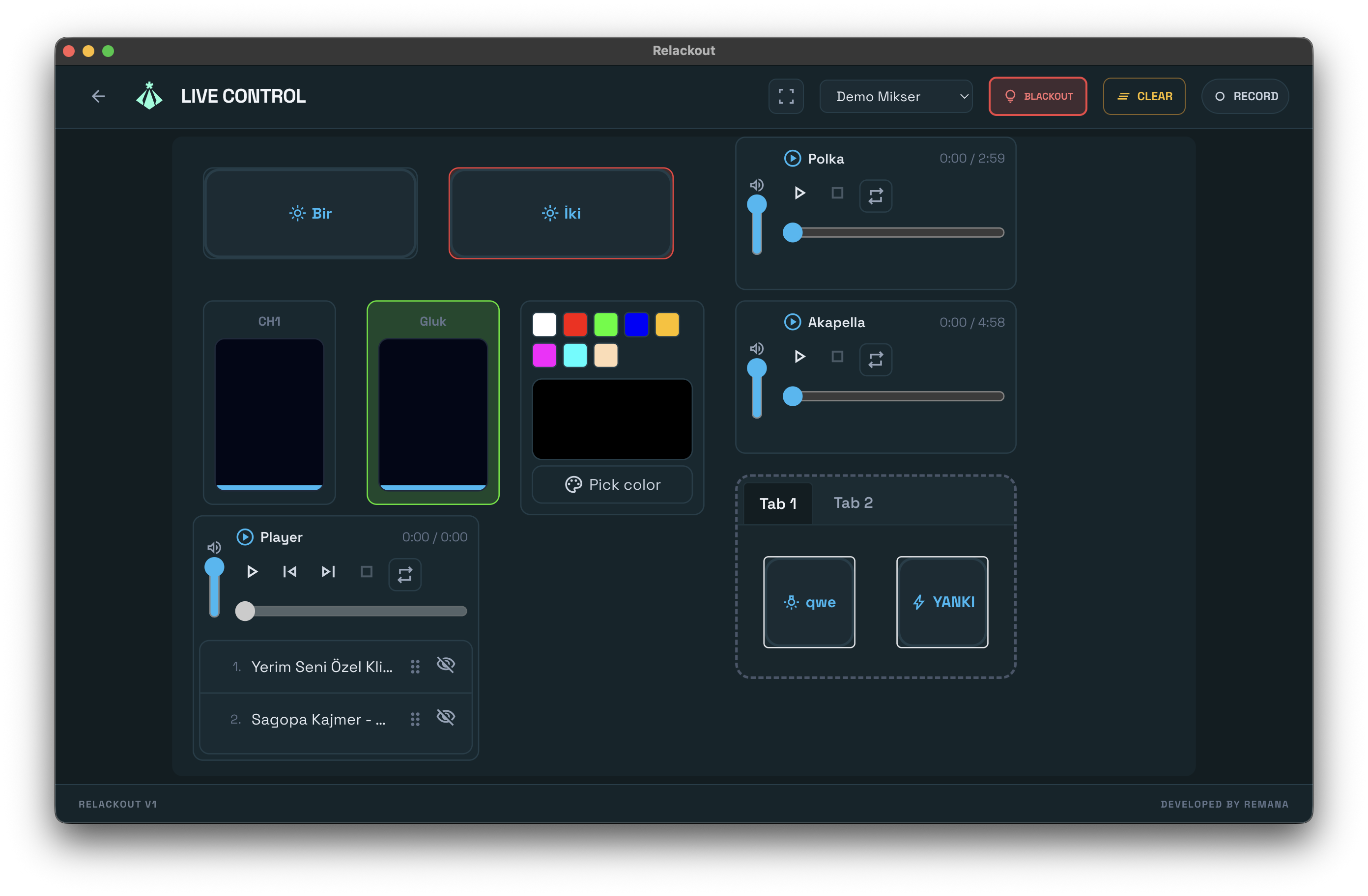
The final performance layer. Launch cues, override sequences, and perform live transitions with our rock-solid execution engine. In layout mode, keep script or production notes visible next to your faders with Notes widgets. Zero lag, 100% reliability.
40Hz Engine
Deterministic lighting output. Up to 4 universes, 512 channels each.
Touch-Optimized
Live Control and Mixer Designer built for touchscreen and mouse.
Mobile Remote
Connect from phone or tablet over the local network. PIN-based access.
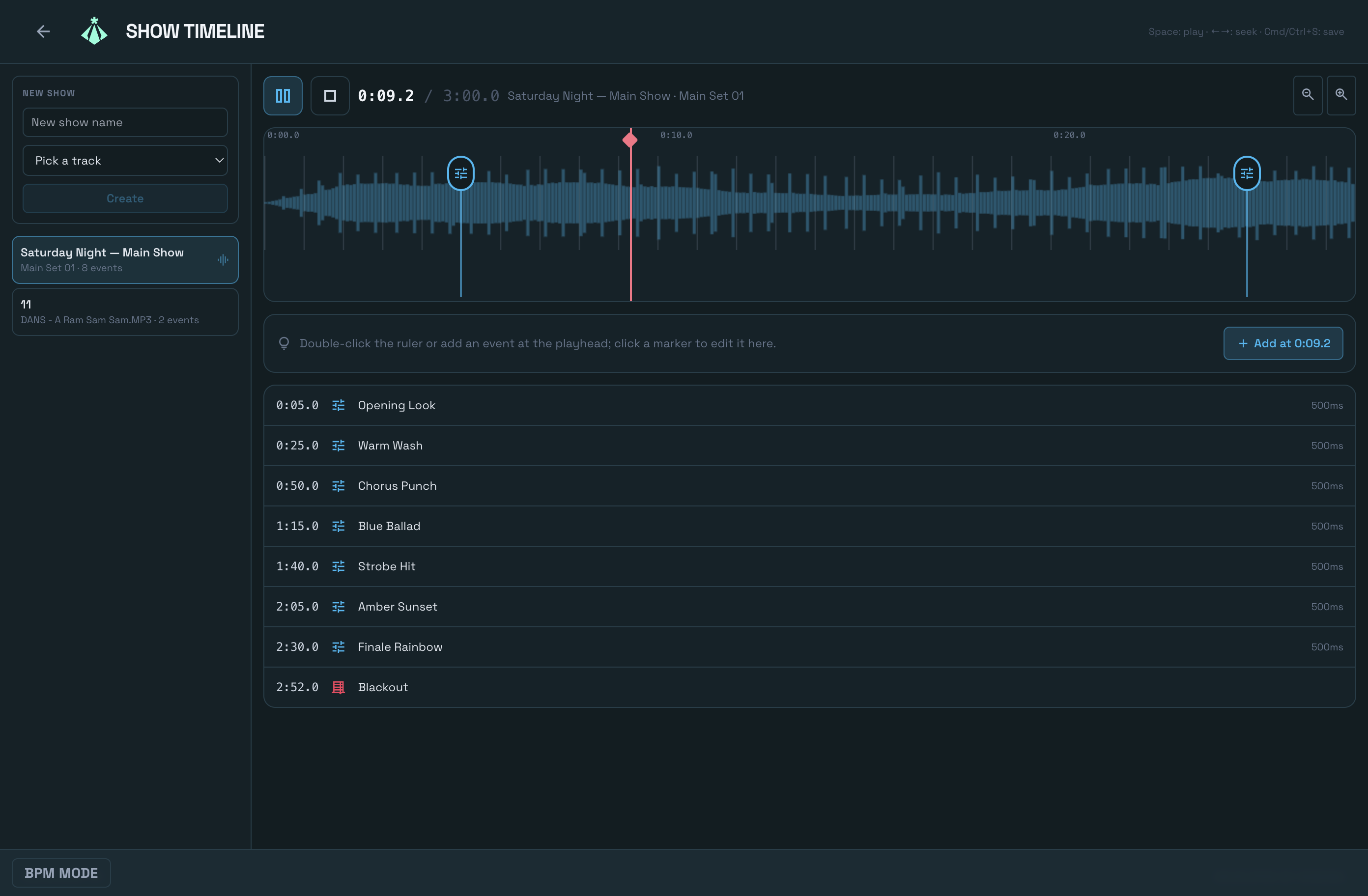
Show Timeline
Program the full night on one timeline. Lay audio tracks and cue events side by side, drag them into place with snap editing, and press play—lighting changes land exactly on the music. Playback is page-independent: the timeline keeps running while you patch, edit scenes, or work anywhere else in the app.
- check_circle Audio and cue events on one multi-track timeline
- check_circle Snap editing for beat-accurate placement
- check_circle Playback keeps running on every page